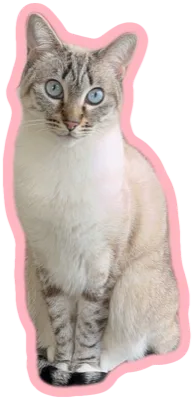
Drop a photo to start
or click to browse · PNG, JPG, WEBP

Any photo → a die-cut sticker. Free & private.
or click to browse · PNG, JPG, WEBP
GammaSticker turns any photo into a die-cut sticker — a clean cut-out wrapped in a customizable border — right in your browser. Free, private, no sign-up.
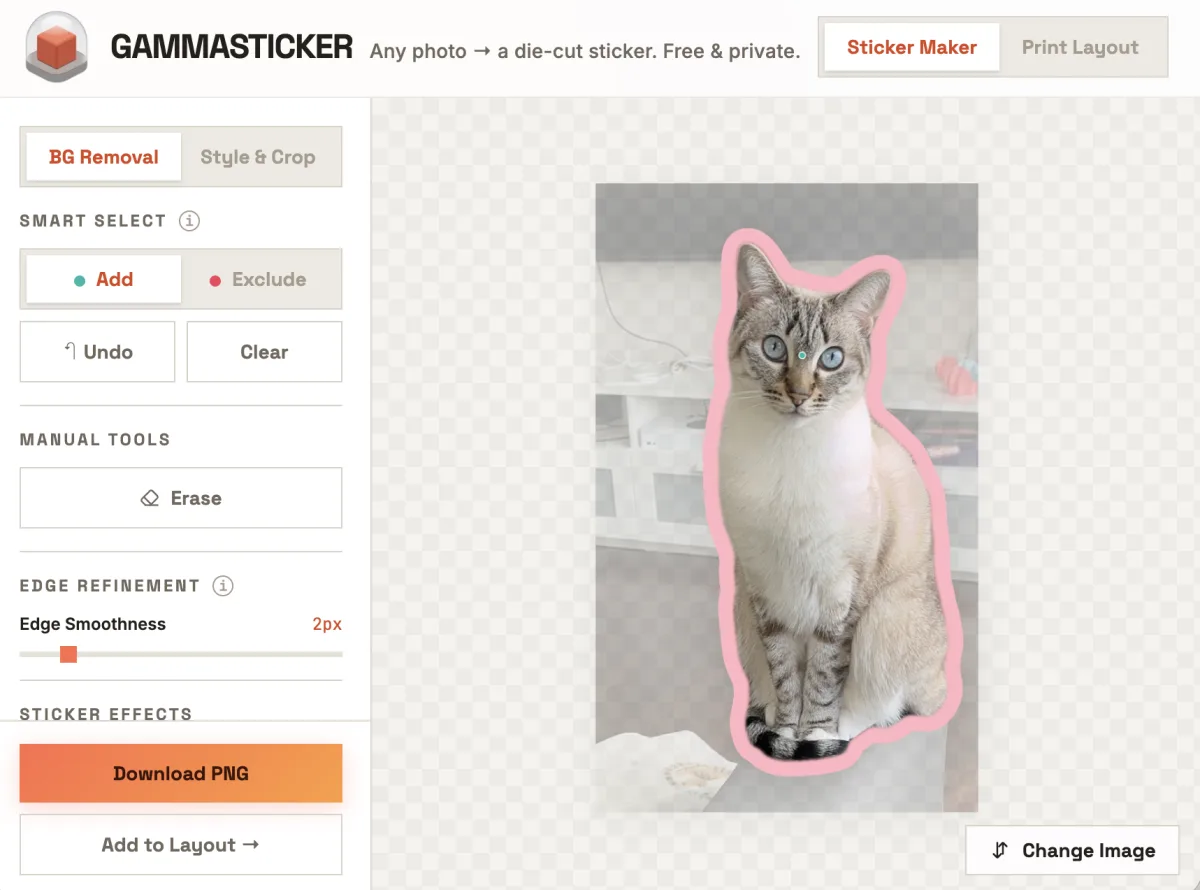
What it does. Upload a photo, click the subject you want to keep, and the on-device AI cuts out the background and adds a crisp die-cut border. You download a print-ready transparent PNG cropped tight to the sticker. Already have a cut-out PNG? Drop it in and GammaSticker traces its outline automatically — no AI step needed.
Who it's for. Makers and small sellers printing laptop, water-bottle, or planner stickers; Cricut and die-cut users prepping cut sheets; people making custom Discord, Telegram, or Slack emoji; and print-on-demand / UV / DTF sellers who need a tight transparent PNG. No design skills required.
Yes. GammaSticker is 100% free — no account, no watermark, and no limit on how many stickers you make. It's part of GammaLand's free tool suite alongside GammaCrop.
Cutting a subject out cleanly and adding a die-cut border is usually locked behind a paid plan in tools like Canva. GammaSticker does exactly that one job — for free — and gives you a print-ready transparent PNG with a real die-cut outline.
We built it because we print custom UV stickers and magnets ourselves, and wanted a fast, no-login way to turn a photo into something you can actually send to a printer or cut on a Cricut. No subscription, no export credits, no watermark.
No. All AI background removal runs locally in your browser using WebGPU/WebAssembly. Your images never leave your device, so it stays private and keeps working offline after the models finish loading the first time.
GammaSticker cuts out your subject with SlimSAM — a distilled Segment Anything model (Xenova/slimsam-77-uniform). You click the exact object you want to keep, then add or exclude points to refine the selection, with a manual eraser for final touch-ups.
It runs entirely on your device through Hugging Face Transformers.js, using WebGPU for speed and falling back to WebAssembly. The model weights download once and are cached in your browser, so repeat visits are fast and work offline. Nothing is sent to a server.
Yes. You can set the border thickness, pick a preset color, or choose any custom color and save your favorites. GammaSticker gives a crisp die-cut outer edge, and your border and edge settings are remembered for next time.
You download a transparent PNG cropped tightly around your sticker (no wasted margins). It's ready for print-on-demand, Cricut / die-cut sheets, Discord and Slack emoji, or messaging apps.
GammaSticker works best in a desktop Chrome or Edge browser with WebGPU enabled for fast AI. It also runs on other modern browsers and mobile, just a bit slower on the first background removal.
Three steps: (1) drop in a photo (JPG, PNG, or WEBP). (2) Click the subject you want to keep — the AI removes the background; add or exclude points to fine-tune, or erase by hand. (3) Set the border thickness and color, crop if you like, then download a transparent PNG cropped tight to your sticker. Everything runs in your browser, so there's nothing to install and no account to create.
Anything that starts from a die-cut sticker with a transparent background: laptop, water-bottle, and planner stickers; cut sheets for a Cricut or die-cut machine; custom Discord, Telegram, and Slack emoji; and artwork for print-on-demand, UV, or DTF printing. The export is a tightly cropped transparent PNG, so it drops straight into a print layout or messaging app without extra editing.
Yes. If you drop in a transparent PNG that's already a cut-out, GammaSticker reads its shape and traces the die-cut outline for you — no AI background removal needed — and takes you straight to the border and crop controls. You can also switch to Style & Crop for any image to add a border or crop without removing the background, and that choice is remembered for next time.
Print Layout is a built-in companion for arranging several stickers on one print sheet before you print. Open it from the Print Layout tab, or send a finished sticker straight over with Add to Layout. You can also drag image files right onto the sheet — each one is auto-scaled to a sensible size so nothing lands too big or too small.
Pick a sheet size (common paper presets, a custom size in millimetres, or GammaLand's UV sticker area), then position each image inside a dashed safe-margin guide. You can drag to move, type an exact width and height in millimetres (with an aspect-ratio lock), rotate, mirror, and change layer order; nudge with the arrow keys and zoom the canvas. Shift-click to select several and align, evenly space, or center them on the sheet. A quick-action bar sits under the selected object; press Delete to remove it — and Cmd/Ctrl+Z undoes an accidental delete — with Esc to deselect and Cmd/Ctrl+C then V to duplicate.
When you're happy, export the whole sheet as a print-ready transparent PNG at 300 or 600 DPI. The export carries real print-resolution metadata and is sized to the exact millimetre, so it imports into your UV / DTF software at the right physical size.